

1
Snap.
Point the camera at a receipt, or pick a photo from your gallery. Moongen reads the shop, the total and the line items into a draft.
Receipt-scanning expense tracker
An expense tracker for iPhone and the web that reads your receipts. Snap one and Moongen drafts the transaction. Check it, then stick it: that’s “Review & save”, and nothing is added until you do. Then ask where the money went, in the voice you pick.
Free on the App Store · Try it as a guest · No bank login
There’s no Android app yet. Use the web app in your browser.
The web app still has our older look while we redesign it.
or open the web app (beta) →The web app still has our older look while we redesign it.

Scan to get it on your iPhone
Sample receipt
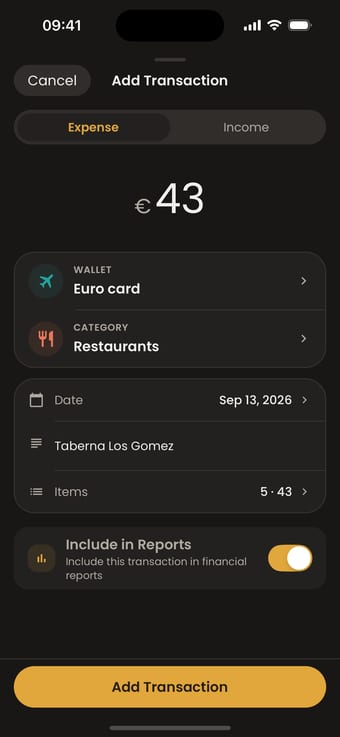
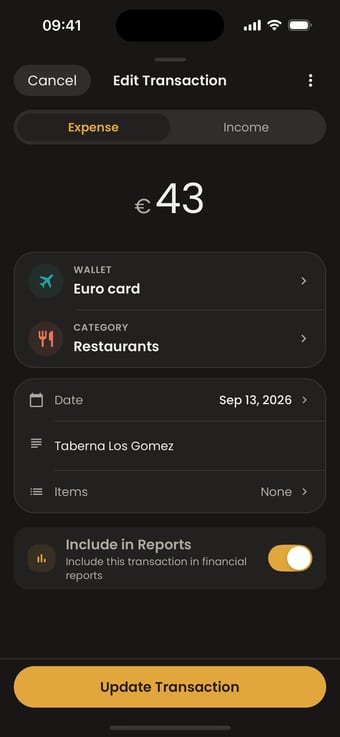
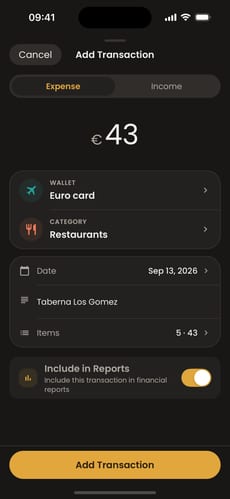
The same dinner, saved in the app.
Stuck. In the app, that’s saving the draft: no transaction is added until you tap it.
Sample receipt. Check it, then stick it. This demo doesn’t send or store anything.
Point the camera at a receipt, or pick a photo from your gallery. Moongen reads the shop, the total and the line items into a draft.
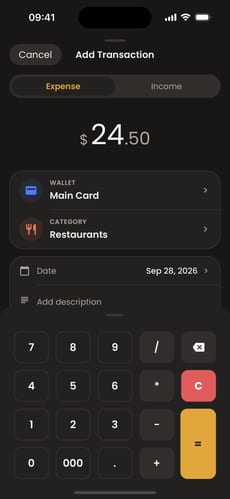
Check the draft, fix anything, save. No receipt? Add an expense by hand with the built-in calculator.
“How much on Housing this month?” Ask in plain words and get the answer from your own records.
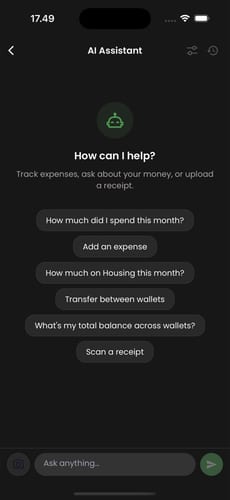
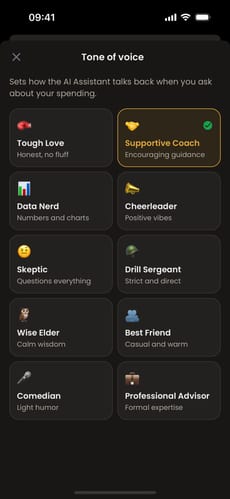
Ask about what you’ve logged, and pick how the answer sounds: ten tones, from Supportive Coach to Drill Sergeant. Try them on this sample: the numbers stay put, only the delivery changes.
“How much did I spend on Food & Drinks this month?”
€312.40 · 14 transactions · +€48.30 vs last month · Biggest: Taberna Los Gomez €43.00
Supportive Coach
You’ve logged €312.40 on Food & Drinks this month across 14 purchases. That’s €48.30 more than last month. Want to set a budget for the rest of the month? Small changes count.
Tough Love
€312.40 on Food & Drinks this month, €48.30 more than last. You can see it now, so you can steer it. Pick one purchase to skip this week and watch what the number does.
Data Nerd
Food & Drinks: €312.40 over 14 transactions. Mean €22.31. Change vs last month: +€48.30 (+18%). Largest single transaction: Taberna Los Gomez, €43.00.
Cheerleader
14 Food & Drinks transactions logged this month. That’s real tracking! Total €312.40, up €48.30 on last month, and now you can see every one of them. The hard part’s done.
Skeptic
€312.40 on Food & Drinks, 14 transactions, up 18% on last month. Is that the groceries, or is Taberna Los Gomez (€43.00) doing some heavy lifting?
Drill Sergeant
Status report: Food & Drinks, €312.40. Fourteen transactions. Up €48.30 on last month. Next step: set a limit, log every receipt, check back Friday.
Wise Elder
€312.40 on Food & Drinks this month, €48.30 more than the month before. Neither good nor bad on its own. Let the next purchase be a choice, not a habit.
Best Friend
Okay, Food & Drinks is at €312.40 this month, 14 things logged, €48.30 up on last month. Taberna Los Gomez was the big one at €43. Worth it? Totally fine if yes.
Comedian
Food & Drinks: €312.40 across 14 transactions, up €48.30 on last month. Taberna Los Gomez alone was €43.00. I hope that dinner knew how loved it was.
Professional Advisor
Food & Drinks spending this month is €312.40 (14 transactions), an 18% increase on last month’s €264.10. A monthly category budget would show this earlier.
The assistant works with the transactions you’ve added. Free plan: 30 questions an hour, covering your last 3 months.


Adding it yourself is the moment you actually notice the €43 dinner.
Your bank never sees the cash in your pocket or the coins you hold. Your Moongen total does.
Nothing connects to your bank. Moongen never asks for your bank credentials.
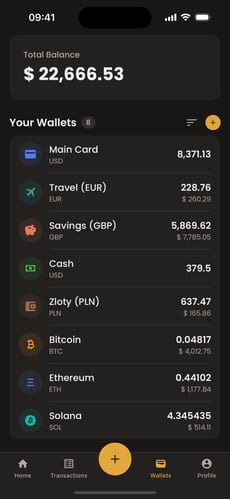
Demo account. The free plan includes 3 wallets.
Your total converts to one currency.
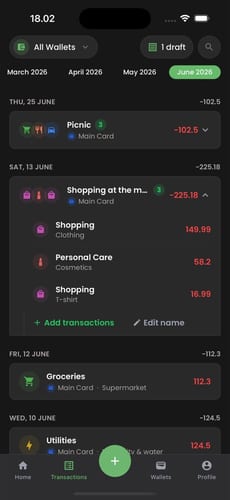
One bank charge, five things you bought: keep them together.
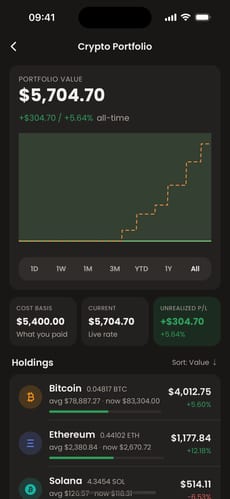
Track holdings alongside your wallets. For tracking only: not custody, not advice.
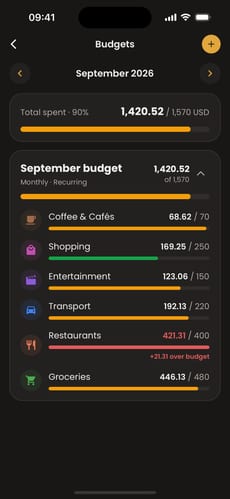
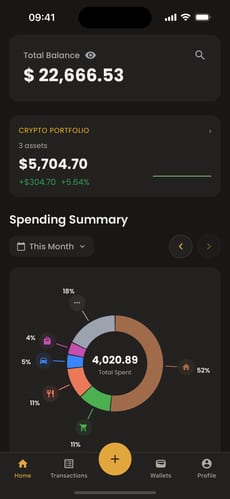
Manual entry and receipts. Nothing connects to your bank.
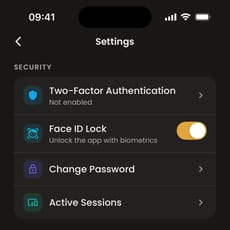
Lock the app behind biometrics.
Authenticator codes plus backup codes.
Check signed-in devices and end any of them.
Start without an account or email. Upgrade later if you like it.
Read by our OCR/AI providers to fill the draft or answer you. See the FAQ.
What happens to receipt photos and assistant questions: Read the privacy policy.
Download free. Everything below is included on the free plan today.
No card needed.
Yes. Moongen is free on the App Store during the beta, with monthly limits on things like receipt scans. A paid Pro plan is coming later; we’ll say what it costs before it launches.
No. Moongen never asks for bank logins. You add expenses yourself or scan receipts.
To read a receipt, Moongen sends the photo to a receipt-recognition service and an AI model, which fill in the draft. Assistant questions go to an AI model together with the transactions needed to answer them.
No. A scan becomes a draft. You check the shop, total, items and category, then save. Or discard it.
The transactions, wallets and budgets you’ve added. On the free plan it covers your last 3 months.
Yes. Choose guest mode on the iPhone app or the web app. You can create an account later.
Each wallet can use its own currency, and your total converts to your base currency. Crypto wallets are supported too.
There’s no Android app yet. Use the web app in your browser.
Yes: Face ID or Touch ID, plus two-factor sign-in.
You can delete your account in Settings.

Scan your next receipt. Check the draft. Save your first expense.
Free on the App Store · Try it as a guest · No bank login
Scan to get it on your iPhone